A laptop that fails during a client meeting is not just a repair ticket. It can delay work, expose sensitive information, frustrate employees, and force a business owner into an unplanned purchase. The same is true when an old server, router, phone, or workstation stays in service past the point where it can be supported safely. IT asset lifecycle management services prevent those avoidable disruptions by giving every device a clear plan from purchase through secure retirement.
For small businesses, lifecycle management is often mistaken for keeping an inventory spreadsheet. Inventory matters, but it is only the starting point. The real value is knowing what each asset does, who relies on it, whether it is protected, when it should be replaced, and how to remove its data when its useful life ends.
What IT Asset Lifecycle Management Services Cover
IT assets include far more than desktop computers. They can include laptops, mobile devices, servers, network switches, firewalls, Wi-Fi equipment, printers, backup drives, software licenses, cloud accounts, and the accessories employees need to work securely. If a device connects to business data or keeps an operation moving, it belongs in the lifecycle conversation.
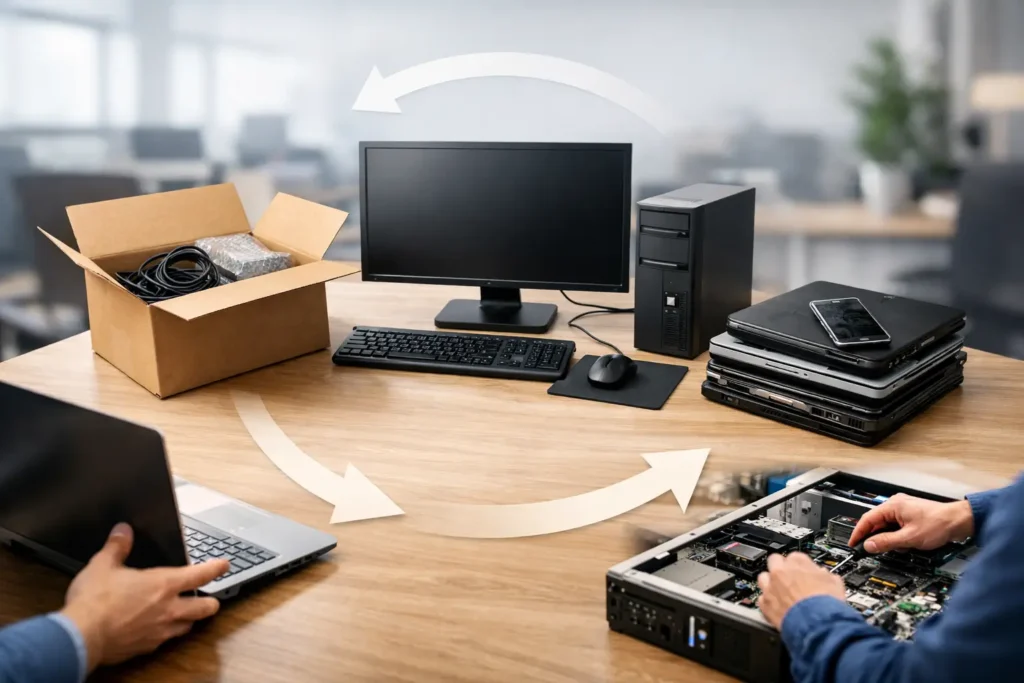
Effective management follows the asset through several connected stages: planning, purchasing, setup, daily support, monitoring, maintenance, replacement, and disposal. Skipping any one stage creates risk somewhere else. A low-cost laptop may become expensive if it lacks the performance, warranty coverage, or security features needed for the job. A retired device can become a data exposure if it is placed in a storage closet without verified data removal.
The goal is not to replace equipment early just to keep technology new. It is to make informed decisions based on business need, manufacturer support status, reliability history, security requirements, and the cost of downtime.
Start With a Complete, Useful Asset Record
A useful asset record answers operational questions quickly. When an employee calls for help, the support team should be able to see the device model, warranty status, installed security tools, assigned user, encryption status, software licenses, and repair history. When a business is preparing for an audit, insurance review, or security incident, that same record becomes evidence of responsible technology oversight.
For organizations with a few employees, this may sound excessive. It is not. Small teams often feel the impact of a missing or unreliable device more sharply because there is less redundancy. If the office manager’s computer holds vendor records, payroll documents, or scheduling access, its failure can stop several functions at once.
Asset records also reveal hidden spending. Businesses frequently pay for unused software subscriptions, maintain devices that no longer have a purpose, or buy one-off replacements without considering compatibility. Documented assets make it easier to standardize equipment, reduce surprise costs, and budget for planned refreshes.
Standardization Reduces Support Time
A business does not need every employee to have the exact same computer. A graphic designer, warehouse supervisor, and receptionist may need very different systems. But each role should have an approved device standard with known performance, security, and support requirements.
Standardization reduces the time spent troubleshooting unusual hardware and makes replacements faster. It also allows support teams to keep appropriate loaner equipment available when a primary device needs repair. For a growing office, this approach makes onboarding predictable: the new hire receives a prepared device with the right applications, access controls, backups, and security settings already in place.
Security Has to Follow the Device
Every endpoint creates a security responsibility. A computer without current patches, endpoint protection, or disk encryption can become an entry point for ransomware or unauthorized access. An employee phone connected to company email may hold sensitive messages and files. A forgotten network device may be running outdated firmware long after the manufacturer stopped releasing fixes.
This is why lifecycle management should connect directly to cybersecurity. Each asset should be assessed for whether it can run supported operating systems and current security tools. It should receive routine patching, monitored antivirus or endpoint detection, and access controls that fit the employee’s role. Where appropriate, multi-factor authentication and mobile-device management should be part of the setup rather than added after an incident.
Older equipment is not automatically unsafe. A well-maintained device may continue serving a low-risk role for years. The trade-off changes when software support ends, repair frequency increases, or the device cannot meet encryption and security-monitoring requirements. At that point, the cost of keeping it can exceed the cost of replacing it.
Plan Replacements Before They Become Emergencies
Most businesses do not need a rigid, company-wide replacement schedule. A three-year refresh cycle may fit high-use laptops, while network hardware or desktop systems may last longer. The right timeline depends on workload, warranty coverage, reliability, software demands, and the role the device plays in daily operations.
What matters is having a forward-looking plan. A lifecycle review can identify equipment approaching end of warranty, operating systems nearing end of support, aging batteries, limited storage, and network components that have become a single point of failure. Instead of receiving a surprise invoice after a breakdown, leaders can spread purchases across a realistic budget period.
Planned replacement also protects productivity. Setting up a new computer while the old one still works gives the team time to transfer files, configure applications, test access, and train the user. Waiting until a device fails can turn a controlled transition into a stressful, same-day scramble.
For companies with multiple locations or remote staff, consistent planning is even more valuable. Devices can be prepared with the same approved configuration before shipment, limiting setup delays and reducing the chances that an employee starts work without required security controls.
Retirement Is a Data-Security Event
Retiring an asset is not as simple as deleting files and dropping hardware at an electronics recycler. Deleted data can often be recovered, and business systems may retain browser credentials, saved passwords, client information, email archives, or access tokens. A device that leaves the business without a documented process can create an unnecessary compliance and privacy issue.
A proper retirement process includes removing the device from business accounts and management platforms, revoking access, securely erasing or destroying storage according to the device’s condition, and documenting the outcome. Licenses should be reassigned or canceled where possible. If equipment is donated, reused, or recycled, the business should retain clear records showing how its data was handled.
This process matters for law firms, medical-adjacent offices, retail businesses handling payment information, and any organization entrusted with customer data. It also matters for home offices. Sensitive data does not become less sensitive because it was stored on a small laptop.
What to Expect From a Managed Lifecycle Partner
The best IT asset lifecycle management services combine documentation with action. A provider should not merely tell you that devices are old. They should explain the operational risk, provide practical replacement options, prepare equipment, manage the transition, and keep records current afterward.
For managed IT clients, lifecycle oversight commonly works alongside helpdesk support, endpoint monitoring, backup verification, security monitoring, and network maintenance. Those services provide the context needed to make better decisions. Repeated repair tickets, failed backups, unstable Wi-Fi connections, or patching limitations can all signal that an asset needs attention before it interrupts the business.
Look for a partner that can explain recommendations in business terms. “This firewall is unsupported” is useful, but “this firewall can no longer receive security updates and is protecting every device in your office” gives decision-makers the information they need. Transparent options matter as well. Sometimes a targeted repair is the responsible choice; sometimes replacement is the safer and less expensive path over the next year.
System Integrators of Nevada approaches this work as part of one trusted partner relationship: direct local support, documented technology decisions, and security-first oversight that helps Las Vegas businesses keep working without unnecessary surprises.
Make Lifecycle Reviews Part of Business Planning
A quarterly or semiannual review is often enough for smaller organizations, provided critical systems are monitored continuously. Review new hires, departing employees, expiring warranties, software renewals, backup capacity, security alerts, and equipment that has become slow or unreliable. The conversation should include upcoming business changes, such as a new location, additional staff, remote access needs, or a move to cloud applications.
The most useful outcome is a short, prioritized plan. Address immediate security gaps first, then operational risks, then productivity upgrades that support growth. Not every recommendation needs to happen at once. Clear priorities give owners control over timing and cost while ensuring urgent issues do not get buried under everyday support requests.
Your technology should not force your team to work around failing equipment or wonder whether old devices still protect client data. With clear ownership, regular reviews, and a documented path for every asset, IT becomes easier to budget, safer to operate, and far less likely to interrupt the work your business depends on.